

Each year, Autodesk adds various enhancements to Inventor that may not be immediately apparent from just using the software. If you haven't checked out the release notes for 2026, here are some helpful enhancements you might have missed:
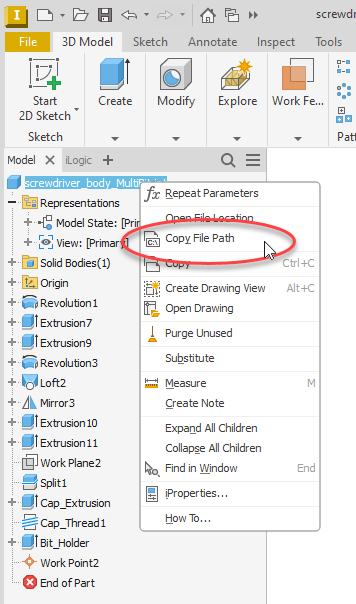
- There is a new option available in the right-click menu for all model and drawing names called Copy File Path (as shown below). Its name is pretty self-explanatory; it quickly copies the entire file path to where the file is stored so that you can paste and share it with others. In the past, I would use the Open File Location option that is above it, and then in File Explorer, I’d paste the path in the address bar. This new option now makes it one step easier.
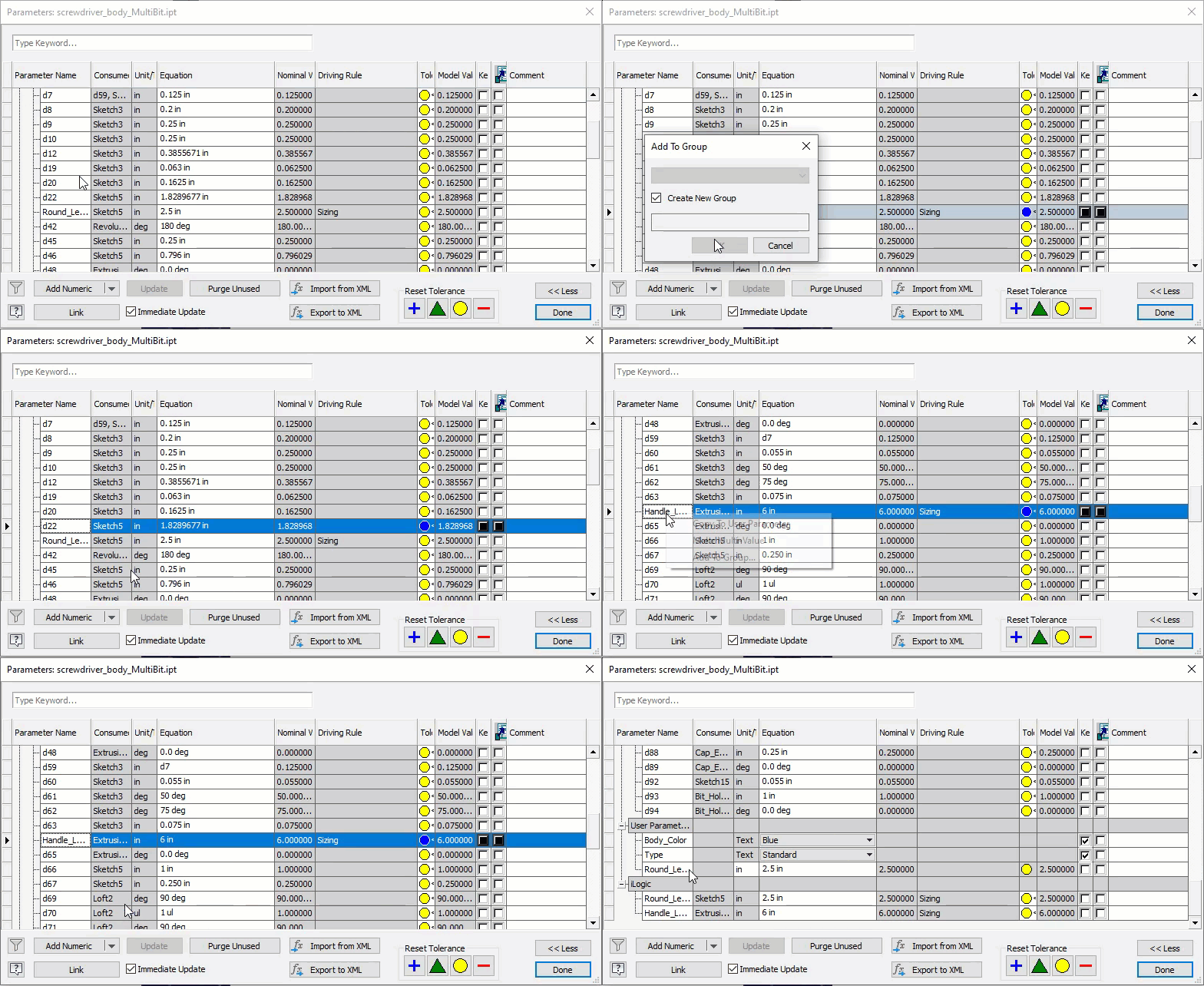
- You can now group parameters into custom named groups to help you organize all your parameters. To create a new group, you simply right-click on the parameter name and select Add to Group. If it’s the first group in the model, you will automatically be asked for the group name. Otherwise, you can select to add the parameter to an existing group or create a new group. The process is shown below in the animated GIF. Please note that the parameters are shown in the group, but they are also still listed in the Model Parameters area. Groups just provide an easy way to find the parameters you need.
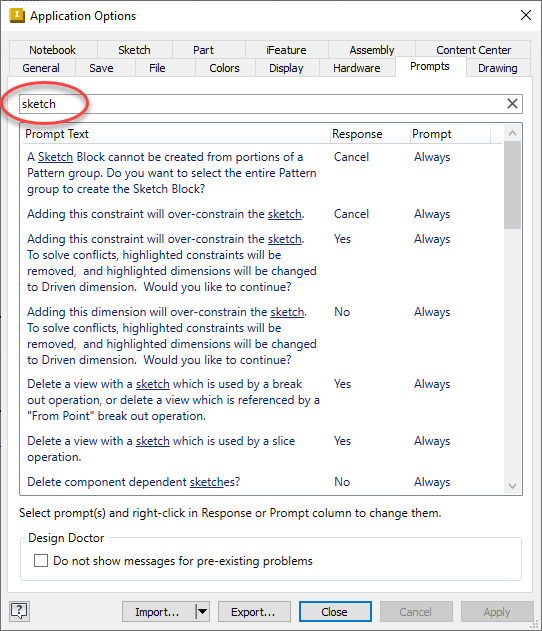
- If you are like me and like to customize the responses for the prompts, it has now gotten a little easier to find them in the long list of Inventor prompts available for customization. On the Prompts tab in the Application Options dialog box, enter a keyword at the top of the window to filter the list, as shown below for the keyword “sketch”. To clear the filter, click X.
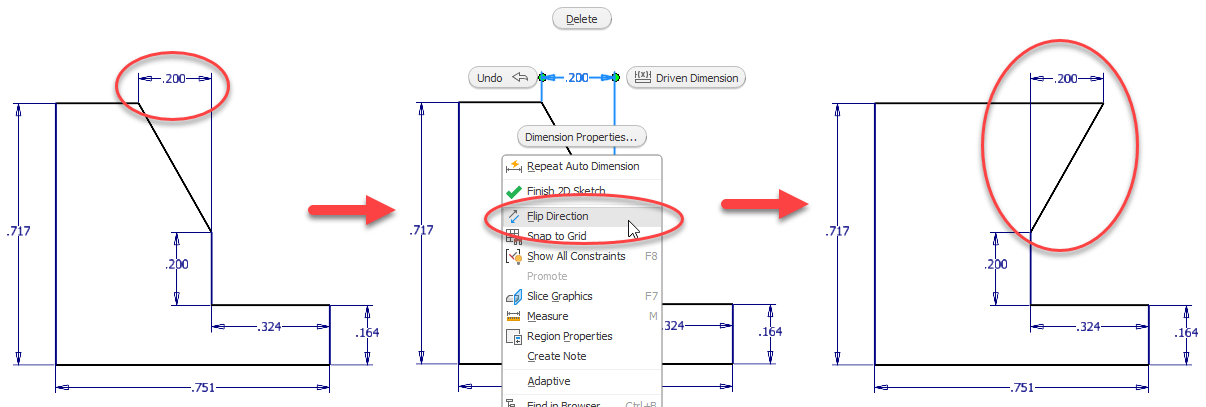
- I saved this one for last because it’s my favorite! There is a new right-click option when in a sketch called Flip Direction. It allows you to maintain the dimension and flip the sketched entity without having to relax the value or delete and resketch. I can see this being really helpful with my sketching, and I certainly wouldn’t have noticed this without having read the release notes.
I hope that a few of these enhancements will help you work more efficiently with Autodesk Inventor now that you know about them.
About the Author
Follow on Linkedin More Content by Jennifer MacMillan


