

This is the third part of a three-part blog series covering the new Autodesk Civil 3D objects for stormwater controls, which were introduced in the recent Civil 3D 2026.1 release.
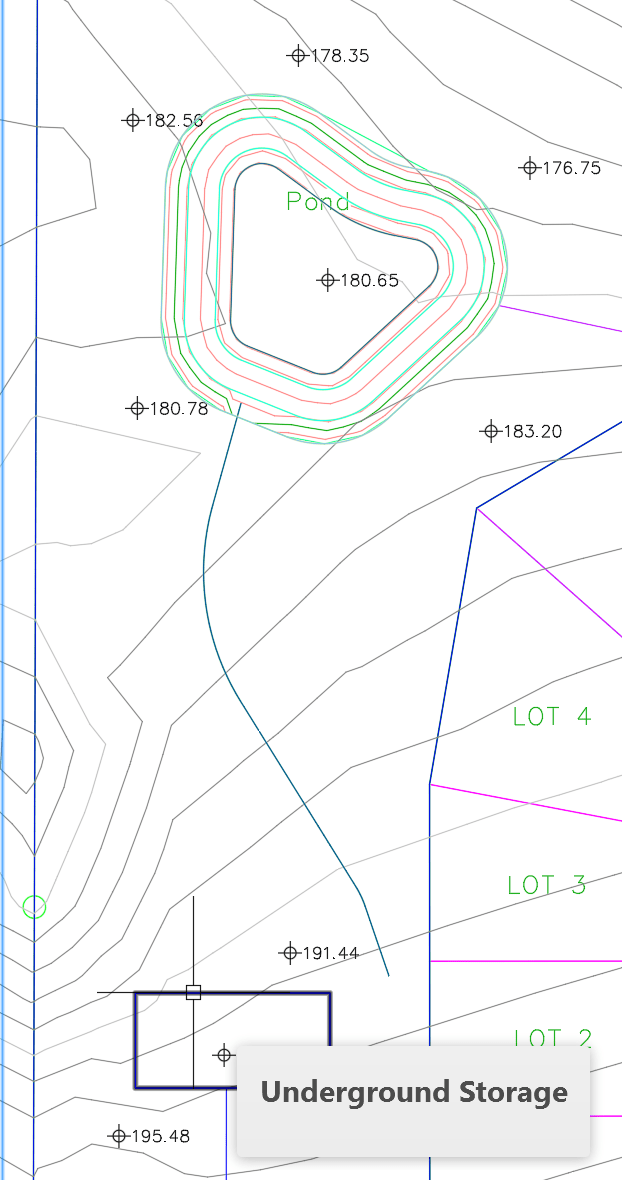
Underground storage refers to the use of concealed tanks or chambers located below the surface to temporarily collect and hold rainwater, which is subsequently released in a controlled manner. They can have multiple levels with varying amounts of voids such as gravel or rocks.
Civil 3D provides three methods for creating underground storage tanks:
1. Sketching the tank outline.
2. Picking an outline from an existing polyline, feature line, alignment parcel segment, or survey figure.
Pipes from gravity pipe network can connect to underground storage, as shown on the left of the image. Connected pipes then appear on the Inflows or Outflows tabs of the Underground Storage Properties dialog box, as shown on the right of the image. 
However, the connection is not dynamic; when moving a storage unit in plan or elevation, the connected pipe can get disconnected and a warning is displayed in the Event Viewer.
Once a storage unit is defined, it can be refined through grips. When hovering over them, the tool-tips allow you to insert, stretch, or delete vertices. A diamond grip at the centroid of the tank allows you to change the elevation or provide an offset in elevation.
Underground Storage Properties
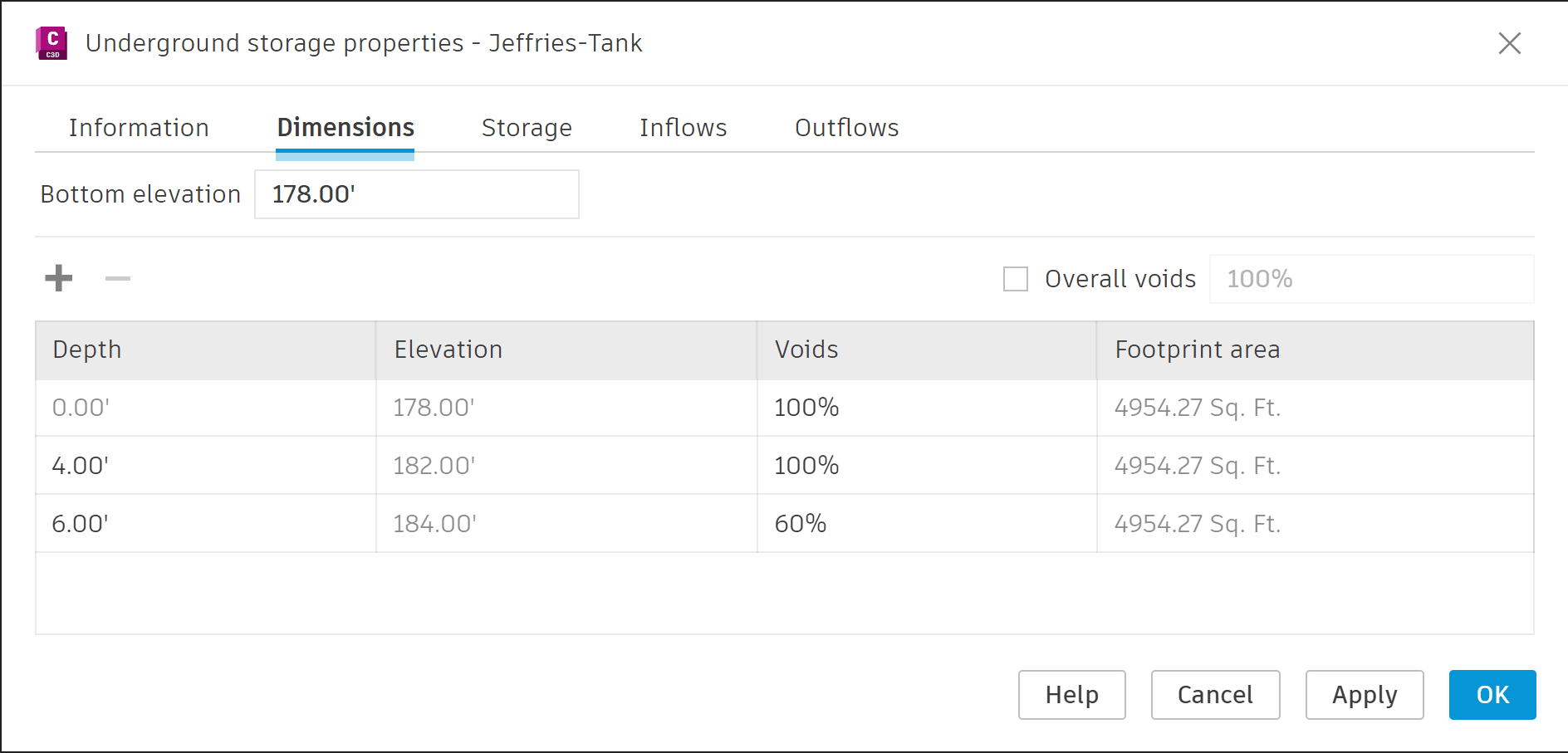
The Underground Storage Properties window displays the properties of the unit and is divided into five categories:
- Information
- Dimensions: Displays the depth layers; you can add or remove depth layers and adjust the depth and the voids for each layer. The footprint area of each depth layer is displayed.
- Storage: Displays the volumes of each depth layer. You can edit these values or import a *.csv file from manufacturers for the storage information.
- Inflows: Displays relevant information from pipes connected to the storage unit, such as Description, Size, Invert-, Centerline- and Crown Elevations and Slope, as well as the structure at the other end of the pipe.
- Outflows: Similar to Inflows, this tab displays relevant information from pipes leaving the storage unit, such as Description, Size, Invert-, Centerline- and Crown Elevations and Slope, as well as the structure following the pipe.
The 2026.1 release of Civil 3D introduces Underground Storage Units as an additional tool for stormwater management.
The first part of this blog series covers Channels and the second part covers Ponds.
About the Author
Follow on Linkedin More Content by Jeff Morris


