

With the release of Autodesk Civil 3D 2026.1, new Civil 3D objects for stormwater controls are now available. They are:
- Channels
- Ponds
- Underground Storage
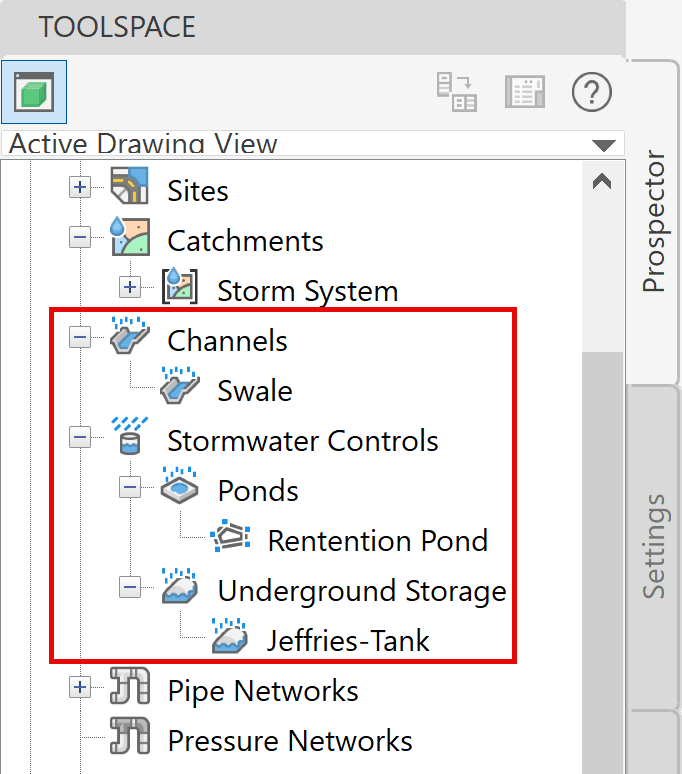
These objects are created and controlled through a series of tools for stormwater management. They integrate drainage design with analysis capabilities powered cloud-services without leaving Civil 3D, providing a more efficient and elegant workflow for stormwater control items such as ponds, underground storage tanks, and channels. Delineation of catchments, including enhanced runoff methods, provide necessary data for analysis of multiple storm event simulations. When satisfactory results are achieved, the designs of the components can be updated to reflect the results of the analysis within the drawing. Reports can be created as well.
This is the first of a three-part blog series covering these stormwater controls.
Channels are used to control stormwater runoffs through engineered waterways. They prevent flooding, sediment buildup, and erosion for roadways and urban settings. They are designed to channel excessive runoffs to natural or man-made bodies of water.
Channels
In Civil 3D, Channel objects are derived from sketched feature lines or alignments and profiles. In the Channel Properties, you can assign the cross section by picking a predefined shape (trapezoidal, triangular, rectangular or custom) and modifying its parameters. As you change the parameter values, the preview is updated.
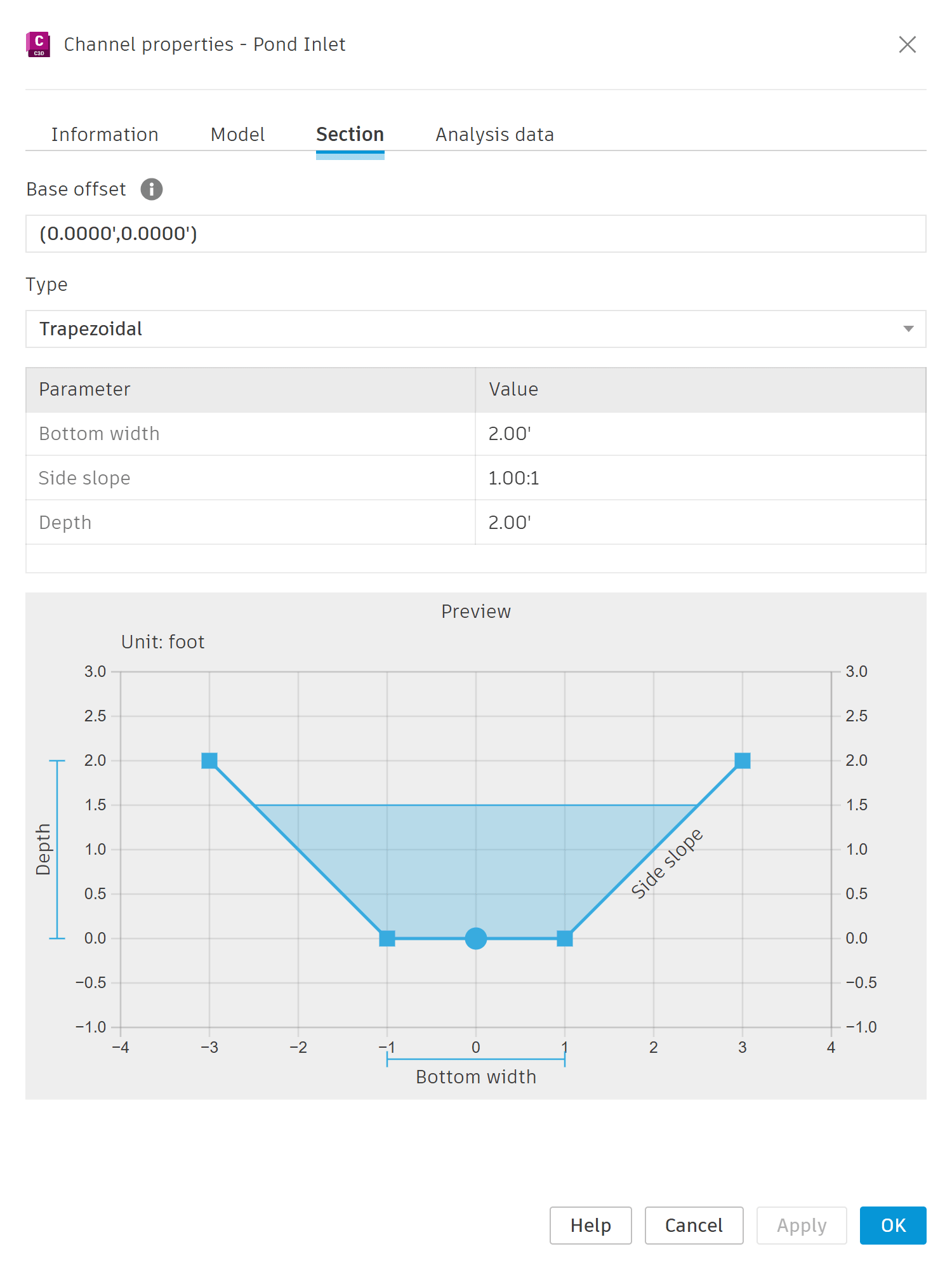
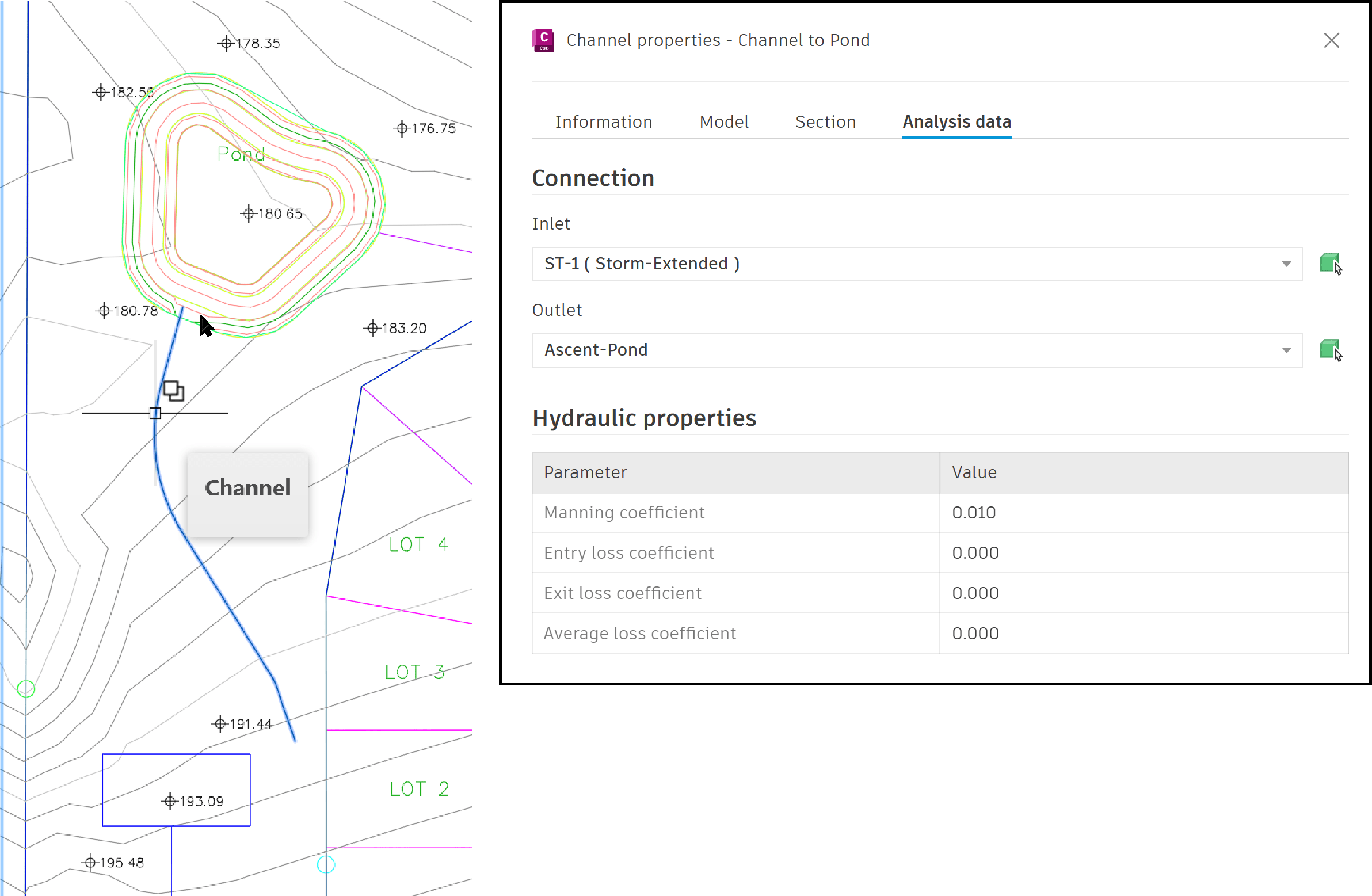
Channels are represented as a single linear object and do not reflect the actual shape or section in Civil 3D, as shown on the left of the image. Their primary use is for providing analytical data for establishing comprehensive drainage systems, as shown on the right of the image.
The Channel style controls the settings for its Baseline and the Longitudinal Line.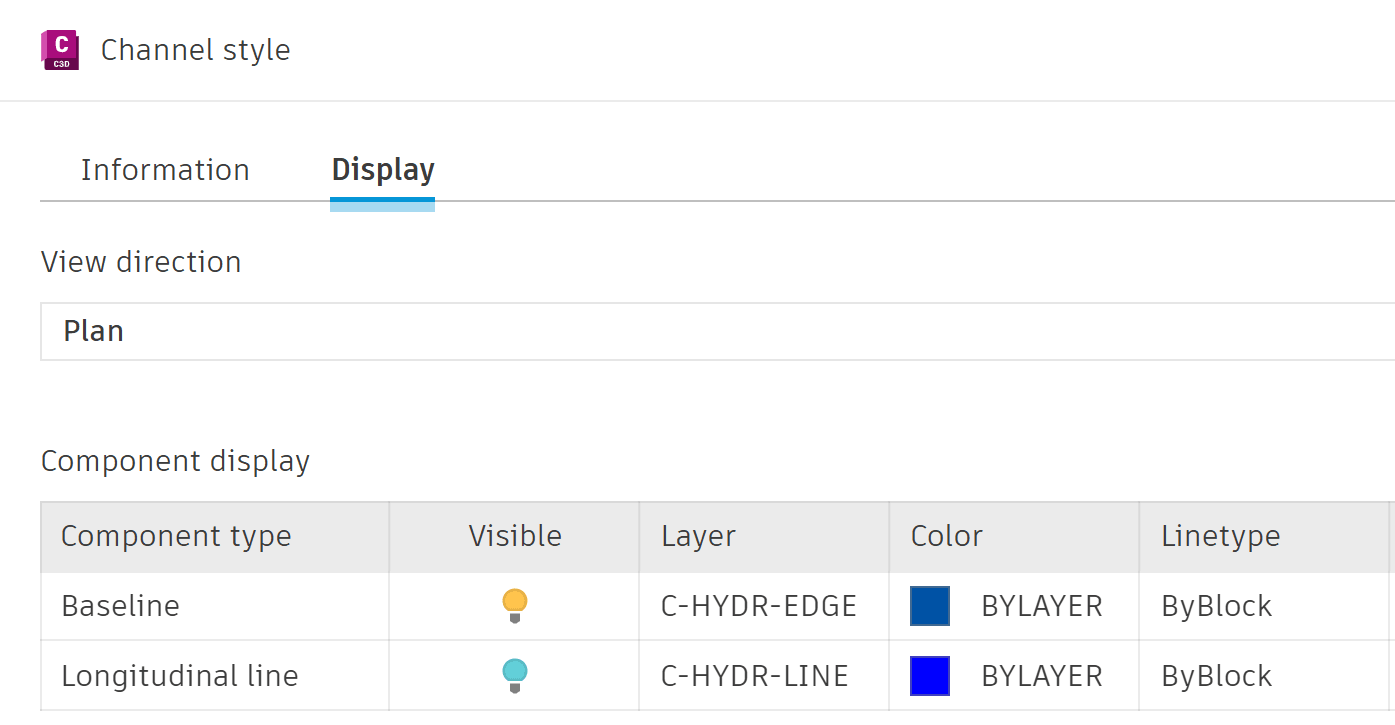
Channels are one of the new stormwater control tools now available in Civil 3D, 2026.1 release. The second part of this blog series deals with Ponds and the third part deals with Underground Storage Units.
About the Author
Follow on Linkedin More Content by Jeff Morris


