

With the release of our newest Civil 3D courseware, Beyond the Basics for Pipe Networks, I wanted to provide an introduction to the new learning guide, summarize the recent webcast which introduced the book, and offer a follow-up to the questions that were asked at the end of my presentation.
If you missed the live webcast, you can watch the recording here >>
The webcast covered the following topics:
- Introduction to the guide
- Civil 3D and InfoDrainage relationship
- Site Preparation
- Gravity and Pressure Networks
- Customizing Civil 3D pipe network parts
- Complex labels

The learning guide consists of seven chapters and two appendices, as follows:
Chapters:
- Preparing the Design
- Stormwater Controls
- Gravity Pipe Tools - Beyond The Basics
- Pressure Pipe Tools - Beyond The Basics
- Project Explorer
- Complex Labels
- Customizing Pipe, Structure and Pressure Parts
Appendices:
- Exchanging Pipes
- Style Management
During the webcast, I listed the Civil 3D piping / Drainage Systems tools and compared them to InfoDrainage. Then I outlined in more detail each chapter / appendix before commencing the software demonstration.
Demonstration - Stormwater Features
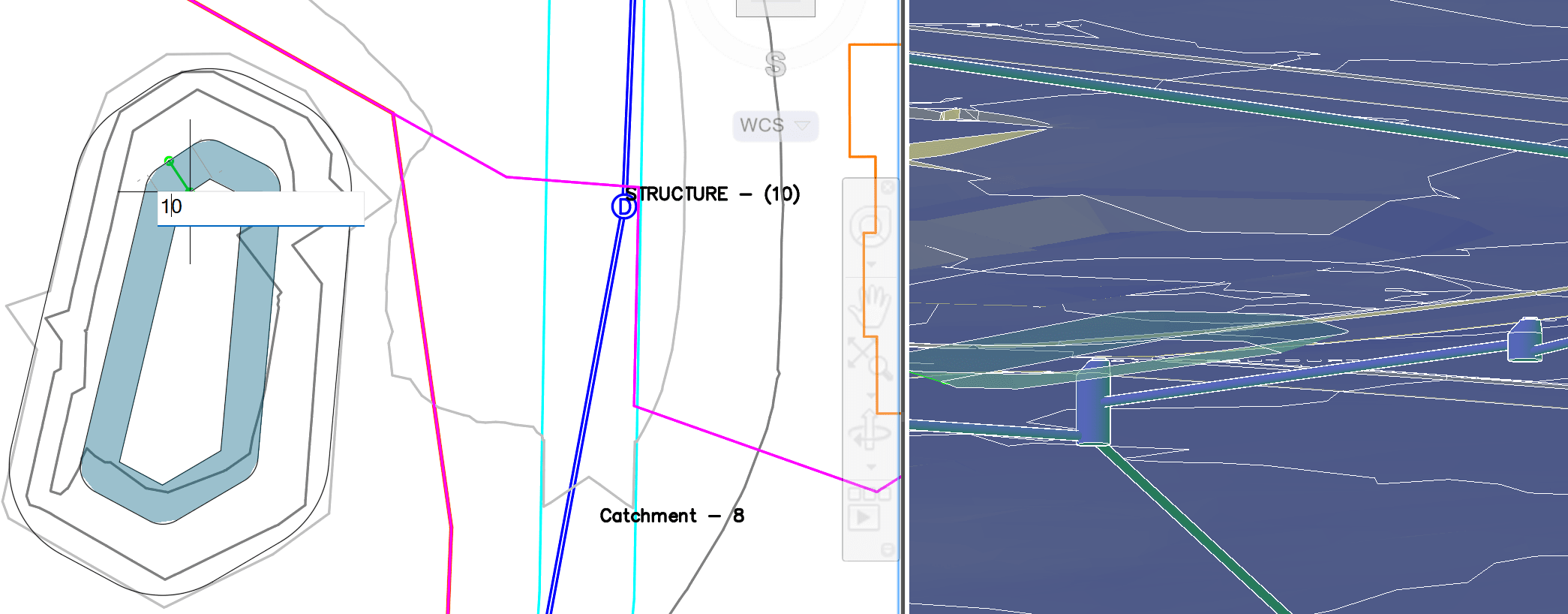
This demonstration was the bulk of the webcast, where I completed a practice exercise from the courseware. The exercise covered creating a detention pond, then connecting the pond to pipes for the inflow and outflow. I also created a catchment area and defined a channel for the drainage into the pond for the new catchment.
With all the pieces in place, I analyzed the drainage area with Civil 3D tools (shared with InfoDrainage).
Below are some questions that came up during the webcast:
Q: Would you be able to select the pond as the 'structure' for the catchment or does it have to be part of the 'pipe network' connected to a channel?
A: Yes, you can! From the Catchment you can select stormwater controls – ponds and underground storage as the reference object that the catchment discharges to.
________________________________________________________________
Q: What are the pre-requisites for the course? I know you used InfoDrainage, which is a separate license and cost, and if we were to obtain it, do we need cloud/AI tokens to use in addition to? We currently subscribe to the AEC Collection.
A: I did not use InfoDrainage for the webcast. The only program required for this course is Civil 3D 2026 or 2027. The Integrated analysis is through a cloud-based engine (shared with InfoDrainage within Civil 3D.)
________________________________________________________________
Q: When developing a corridor model with roadside ditches, is it intended that these drainage network components (such as the channel) be used in lieu of ditch subassemblies? Is it just a matter of whether or not an analysis is desired?
A: (From Charlie Ogden, Autodesk) The channel doesn’t do grading (unless you extract the feature lines), so using the ditch subassemblies still makes sense. What they could do though, is use the resulting feature line from the corridor as the Channel base line. [I will be publishing a blog on this workflow in the near future.]
--------------------
Interested in purchasing this guide? Visit the ASCENT eStore or Amazon.
About the Author
Follow on Linkedin More Content by Jeff Morris


